How to Navigate the Left Side Menu
Who has access to these actions:
All user levels
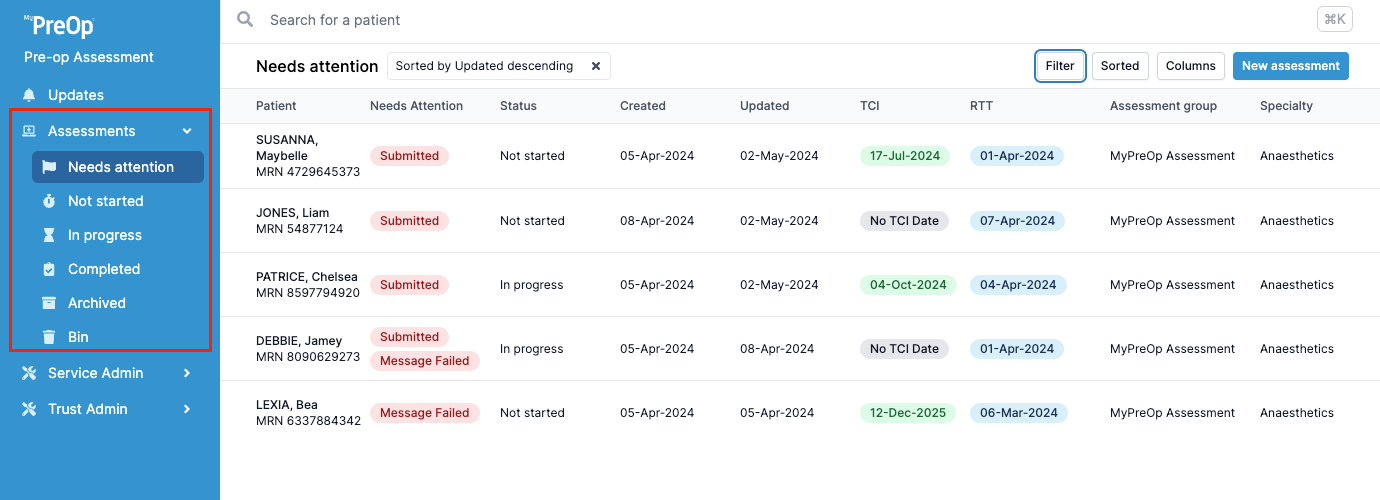
Once logged into the Clinical Portal, you will see the left-hand side menu, which organises patients into different folders based on their assessment status:
- Needs Attention – Assessments that require user action (e.g. submission review, failed messages)
- Not Started – Assessments that have been initiated but not yet actioned by a portal user
- In Progress – Assessments currently being worked on
- Completed – Assessments that have been fully completed and submitted
- Archived – Assessments for patients who have had their procedure
- Bin – Used for cancelled procedures or duplicate assessments completed in error
These folders help you quickly identify where each patient is in the assessment process and manage your workload efficiently.