
How to send a templated message
Go to Messaging and click “New message”. Choose the template you would like to use.
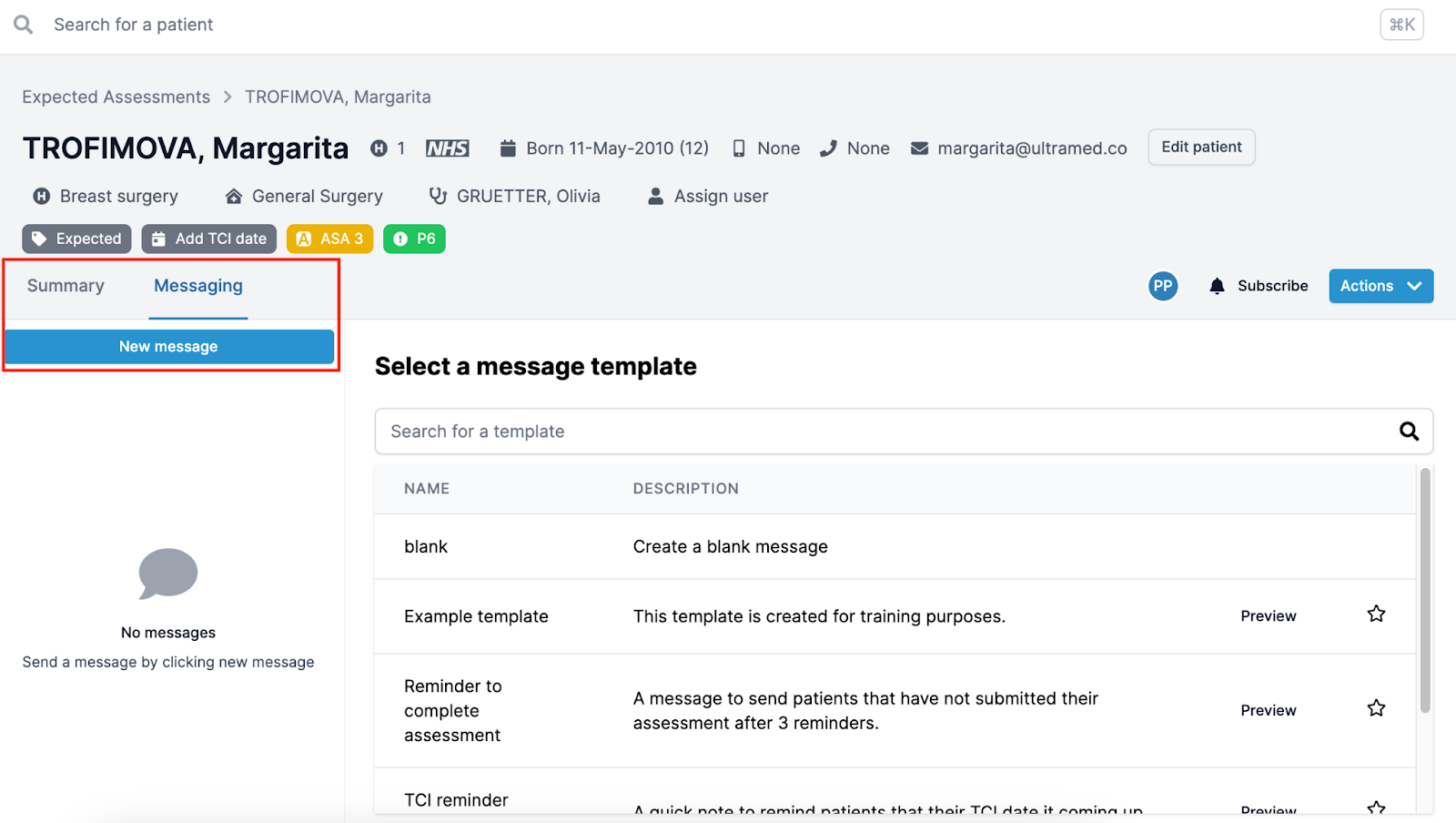
You will have the option to select a blank message, or preview a specific one before selecting it.
Once selected, the system will pull the information from the patient page into the placeholders:
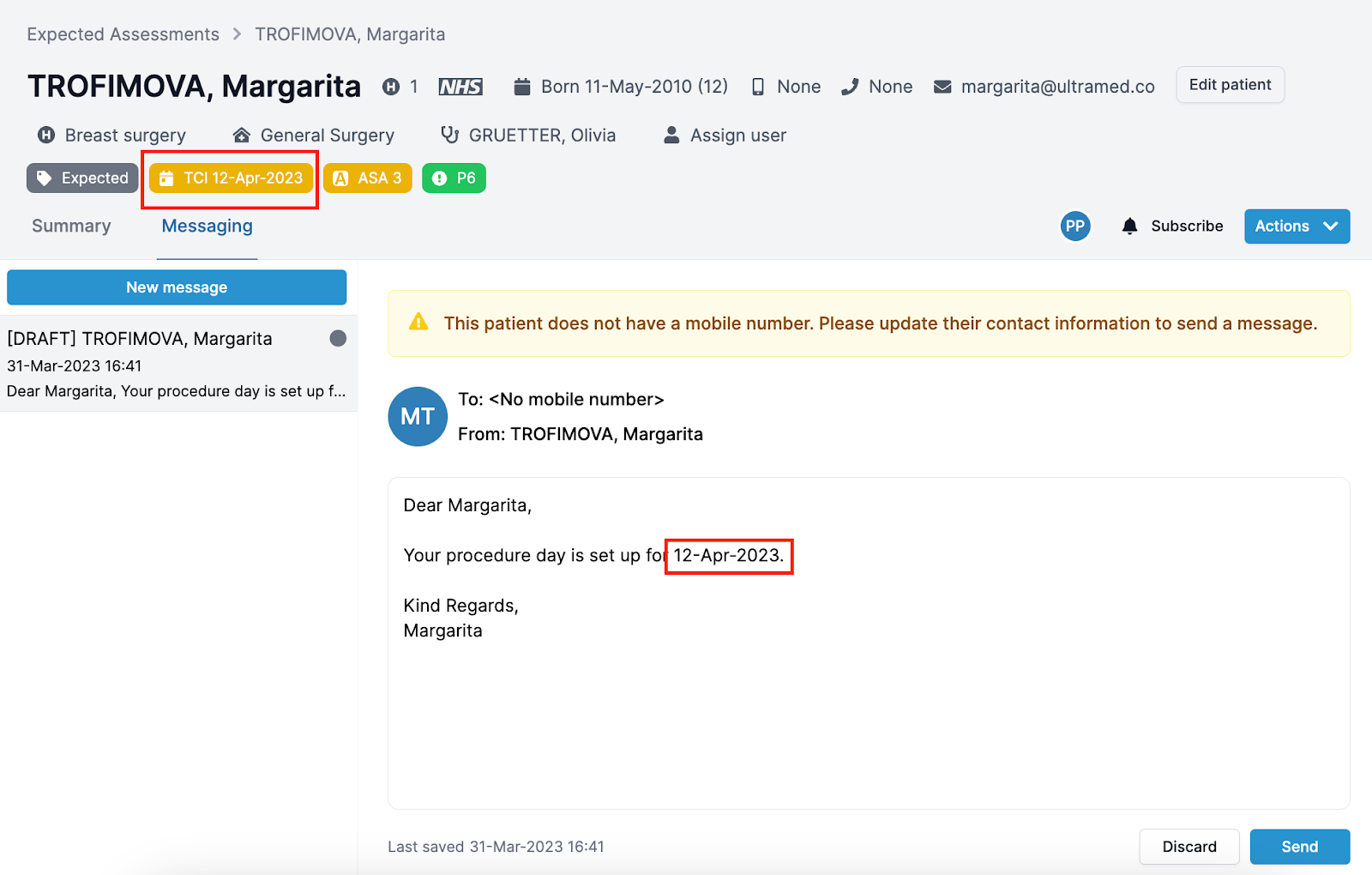
If the information for the placeholder or patient contact details are missing, the template will be incomplete, you will see an amber warning banner.
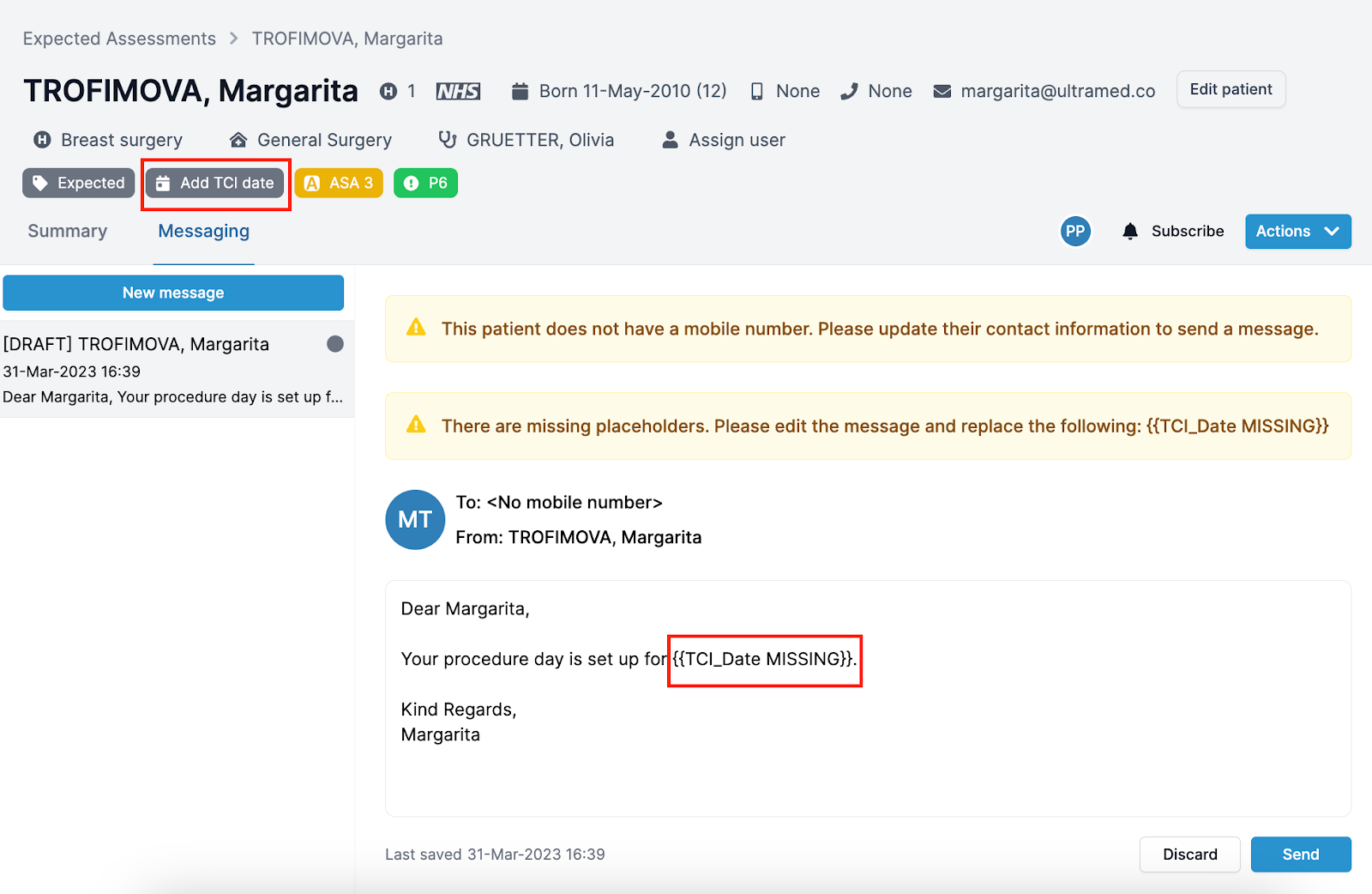
Update the details and click “Send”.
Important! Message link will expire 30 days after it is sent.