July release notes
New Patient Messaging App
The new messaging app announced in June’s release round up has now been deployed to all customers and reports of patients encountering issues accessing messages has significantly reduced.
The functionality of the app remains the same as it was before, with increased reliability, and no action or training is required by customers. The transition was seamless and went according to plan.
Clinical Portal Read-Only Role
This is a new role available for all customers to assign to users of the clinical portal that grants read-only access.
Users with this role can
- View the dashboard (including filtering and sorting)
- Search for the patients
- View the patient page
- View the Summary, Assessment and Documents tab on the patient page
- View assessment answers and forms
- View scheduled or sent messages
- Download existing PDF reports (those already exported by other users)
Users with this role cannot
- Edit any fields on the patient page
- Add new patients
- Create new assessments
- Acknowledge attention flags
- Add comments
- View clinical notes or suggested actions
- Add, send or schedule messages
- Export new PDF reports in the Documents tab
Patient App Unsaved Answers Warnings
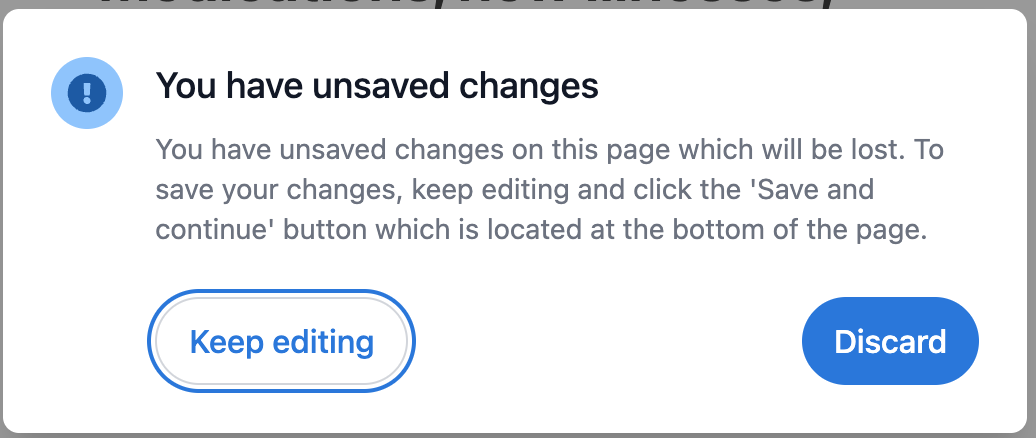
A small platform-wide improvement to the patient app, which adds a dialog to prompt the patient to save their answers on the page if they navigate away before saving.
This helps to ensure answers are not accidentally lost by the patient closing the questionnaire in the middle of completing a page of answers.