
How to export Final Report
In this guide, you will learn about:
- How to export a final report
How to export Final Report
To export a final report, open the "Documents" tab on the patient page. Next, choose the form you would like to export and click on "Export".
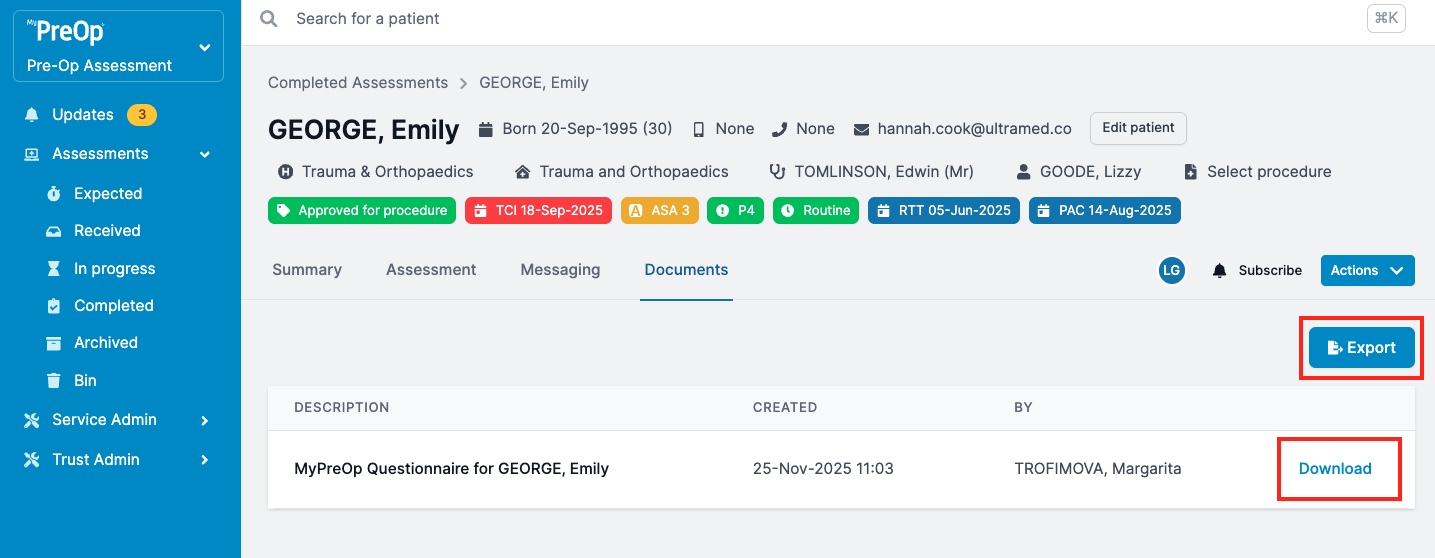
You can choose to download the report manually by clicking the Download button.
Please note that if your Trust has integration, the report might be saved in your internal system automatically.